JavaScript is required

relation-graph Examples

Welcome to the relation-graph example hub.

This is not a small set of isolated snippets. It is a structured, production-oriented catalog that shows how relation-graph scales from simple viewers to advanced interactive editors.

Across this catalog, you can explore 200+ professional examples organized into clear thematic groups. Some examples appear in multiple groups on purpose, so you can discover the same implementation from different problem angles: rendering, layout, interaction, editing, data flow, styling, export, and API control.

What You Can Learn Here

The examples are grouped to help you move from fundamentals to advanced system design:

  • Node + Line: Build visual language for nodes and connectors with slots, CSS skinning, labels, arrows, animation, and custom edge rendering.
  • Layouts: Compare tree, center, force, folder, and mixed layouts; tune spacing and routing; integrate external solvers like Dagre, Graphology ForceAtlas2, and D3 hierarchy layouts.
  • Use Cases: Study realistic graph products such as corporate structures, investment exploration, industry chains, topology monitoring, and scenario-specific dashboards.
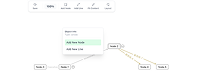
  • Graphic Editing Suite: Move beyond read-only viewers into full editing workflows: create, connect, modify, align, resize, undo/redo, and advanced authoring patterns.
  • Element Lines + UI Slots: Connect graph logic with regular HTML elements and map overlays, and compose custom toolbars and cross-layer UI.
  • Events, Interactions, and Runtime Control: Implement selection, hover/click highlighting, context menus, focus navigation, expand/collapse playback, and viewport operations.
  • Data Manipulation + Unconventional Data: Append in stages, lazy-load branches, reapply external data models, and handle disconnected or non-standard structures.
  • Style, Animation, Effects + Image Export: Polish UX with themes and motion, then export full graphs, visible regions, and Base64 images with controlled output scope.
  • Instance API: Learn provider-scoped instance control and framework-level extension patterns with custom graph core orchestration.

No matter where you begin, each example is a reusable implementation pattern, not just a visual demo. Pick one that matches your current challenge, run it, inspect the configuration and component structure, then adapt the pattern into your own graph workflow.
Node
Basic Custom Node and Minimap
Node Styling Techniques
Switchable Node Slot Templates
Slot-Based Node Content and Styles
Node CSS Skin and Checked State
Force Layout Icon Button Nodes
Glowing Icon Node Tree Style
Gradient Line Graph Editor
Gradient Line Graph Editor VIP
Graph Hand-Drawn Style Switcher
AI Model Workflow Graph
AI Model Workflow Graph VIP
Line
Line Shapes, Junctions, and Custom Arrows
Line Shape, Junctions, and Label Placement
Line Endpoint Gap Control
Line Endpoint Gap Control VIP
Multi-Line Gap Control
Built-In Line Dash and Animation
Batch Switch CSS Line Styles
Graph Line Animation Presets
Checked Line Effect Presets
Animated Shortest Path Highlighting
Custom Line Arrow Presets
Graph CSS Theme Switcher
Graph CSS Theme Switcher VIP
Graph Theme and Layout Preset Switcher
Graph Theme and Layout Preset Switcher E-VIP
Built-in Line Rendering Options
Gradient Line Graph Editor
Gradient Line Graph Editor VIP
Custom Line Slot Rendering
Animated Line Slot with Detail Link
Animated Route Progress Line Slot
Simulated data flow path
Line-Following HTML DIV Overlay
Line-Following HTML DIV Overlay VIP
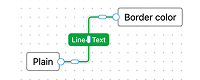
Customize Line Text Position
Customize Line Text Position VIP
Curved Line Path Text Controls
Curved Line Path Text Controls VIP
Orthogonal Line Label Controls
Orthogonal Line Label Controls VIP
Pattern-Switchable Tape Lines
Pattern-Switchable Tape Lines VIP
Patterned Tape Line Rendering
Patterned Tape Line Rendering VIP
Google Income Statement Ribbon Graph Tutorial
Orthogonal Line Label Styling
Orthogonal Line Label Styling VIP
Layouts
Tree Layout Orientation Switcher
Tree Layout Level and Node Spacing
Bidirectional Tree Line Label Tuning
Bidirectional Tree Line Direction FAQ
Tree Layout and Line Options
Tree Layout and Line Options VIP
Center Layout Style Controls
Center Layout Spacing Controls
Force Layout Live Parameter Tuning
Force Layout Runtime Parameter Controls
Force Layout Performance Mode Stress Lab
Force Layout Performance Mode Stress Lab E-VIP
Tree - Performance Mode Test
Tree - Performance Mode Test E-VIP
Force Layout Node Weight And Line Elasticity
Force Layout Node Weight And Line Elasticity VIP
Custom Force Layout Color Clustering
Custom Force Layout Color Clustering VIP
Custom Force Layout on Concentric Rings
Custom Force Layout on Concentric Rings VIP
Force Clustering with Controlled Anchor Motion
Force Clustering with Controlled Anchor Motion VIP
Folder Layout with Line Offset Control
Organization Tree Folder Layout
Organization Tree Folder Layout VIP
Enterprise Quadrant Fixed Layout
Center and Tree Layout Composition
Center and Tree Layout Composition E-VIP
Custom Mixed Subgraph Layouts
Custom Mixed Subgraph Layouts E-VIP
Sequential Tree Group Layout
Sequential Tree Group Layout E-VIP
Connected Subnetwork Layout Switcher
Connected Subnetwork Layout Switcher VIP
Multi-Group Graph Layout and Style Editor
Multi-Group Graph Layout and Style Editor E-VIP
Industrial Chain Card-Anchored Mixed Layout
Industrial Chain Card-Anchored Mixed Layout E-VIP
Industry Chain Group Layout Editor
Industry Chain Group Layout Editor E-VIP
Smart Tree Layout
Smart Tree Layout E-VIP
IO Tree Layout Orientation and Link Routing
IO Tree Layout Orientation and Link Routing E-VIP
Dagre Layout Integration and Line Label Positioning
Dagre Layout Integration and Line Label Positioning VIP
Dagre Position Layout Runtime Controls
Dagre Position Layout Runtime Controls VIP
Use Graphology ForceAtlas2 Layout
Use Graphology ForceAtlas2 Layout VIP
D3 Treemap and Pack Layout Integration
D3 Treemap and Pack Layout Integration VIP
System Architecture Diagram with Custom Layout
Custom Node Enterprise Service Promo Card
Custom Node Enterprise Service Promo Card E-VIP
Use Cases
Bidirectional Tree Layout
Google Income Statement Ribbon Infographic
Google Income Statement Ribbon Graph Tutorial
Industry Chain Hierarchy Map
Corporate Equity Structure Diagram
Corporate Equity Structure Diagram VIP
Investment and Shareholder Relationship Explorer
Investment and Shareholder Relationship Explorer VIP
Show All Preloaded Branch Nodes
Show All Preloaded Branch Nodes VIP
Lazy-Load Paginated Branch Nodes
Lazy-Load Paginated Branch Nodes VIP
Trade Partner Relationship Explorer
AI Model Workflow Graph
AI Model Workflow Graph VIP
Database Foreign Key Diagram
Class Members and Interest Group Relations
Class Members and Interest Group Relations VIP
Map-Linked Warehouse and Product Overview
Map-Linked Warehouse and Product Overview VIP
Business Unit Organizational Chart
Business Unit Organizational Chart VIP
Corporate Group Relationship Map
Corporate Group Relationship Tree
Enterprise Quadrant Fixed Layout
Network Topology Monitor
Infrastructure Topology Dashboard
Cloud Infrastructure Topology via Canvas Slot
System Architecture Diagram with Custom Layout
System Architecture Diagram Editor
Force Classifier
Force Classifier
Attribute-Grouped Force Clustering
Character Relationship Graph Filters
Character Relationship Graph Filters VIP
Character Relationship Graph Operations
Character Relationship Graph Operations VIP
Industrial Chain Card-Anchored Mixed Layout
Industrial Chain Card-Anchored Mixed Layout E-VIP
Shortest Path Query
Shortest Path Query VIP
Graph Editor with Context Menu and Local Save
Graph Editor with Context Menu and Local Save E-VIP
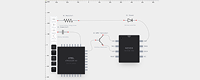
PCB Component Wiring Editor
PCB Component Wiring Editor E-VIP
Zodiac Compatibility Matcher
Zodiac Compatibility Matcher VIP
Toys - Clock
Toys - Clock VIP
Timer-Driven Force Layout Parameter Cycling
Timer-Driven Force Layout Parameter Cycling VIP
Graphic editing suite
Node Resize Controls and Styles
Double click to edit node text
Preset Toolbar Node and Line Creation
Preset Toolbar Node and Line Creation VIP
Batch Edit Selected Nodes
Batch Edit Selected Nodes VIP
Around-Node Quick Actions
Around-Node Quick Actions VIP
Selected Node Directional Line Creation
Selected Node Directional Line Creation VIP
Selected Node Line Creation With Target Endpoint Selection
Selected Node Line Creation With Target Endpoint Selection VIP
Line Endpoint Editing
Line Endpoint Editing VIP
Line Label and Endpoint Editing
Line Label and Endpoint Editing VIP
Interactive Line Path Editing
Interactive Line Path Editing VIP
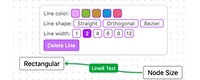
Custom Selected Line Toolbar
Custom Selected Line Toolbar VIP
Node Drag Alignment Guides
Node Drag Alignment Guides VIP
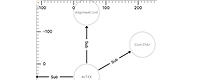
Canvas Coordinate Ruler
Canvas Coordinate Ruler VIP
Adjustable Graph Minimap
Adjustable Graph Minimap VIP
Node Drag Collision and Drop Rules
Node Drag Collision and Drop Rules VIP
Partial Node Drag Handles
Partial Node Drag Handles VIP
Graph Undo/Redo History
Graph Undo/Redo History VIP
Freehand Strokes to Graph Nodes
Freehand Strokes to Graph Nodes VIP
Gradient Line Graph Editor
Gradient Line Graph Editor VIP
Metric Rollup Graph Editor
System Architecture Diagram Editor
PCB Component Wiring Editor
PCB Component Wiring Editor E-VIP
Multi-Group Graph Layout and Style Editor
Multi-Group Graph Layout and Style Editor E-VIP
Diagram Editor Workbench
Diagram Editor Workbench E-VIP
Element Lines
Connect Targets Across Canvas Elements, Nodes, and Grid Items
Element Lines
Element Lines
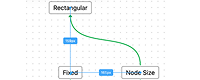
Compare Element-to-Node and Element-to-Element Links
Connect List Items to Location Nodes
Connect Lines to Node Content Targets
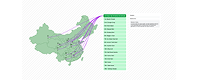
Jin Yong Martial Sect Map Browser
World Map Graph Overlay with Snapshots
World Map Graph Overlay with Snapshots VIP
US Map Graph Overlay and Snapshots
US Map Graph Overlay and Snapshots VIP
AI Model Workflow Graph
AI Model Workflow Graph VIP
Database Foreign Key Diagram
Class Members and Interest Group Relations
Class Members and Interest Group Relations VIP
Data Manipulation
Append Graph Data in Stages
Append Graph Data in Stages VIP
Lazy Load Tree Children on Expand
Lazy Load Tree Children on Expand VIP
Managed Tree Branch Growth with Reapply
Managed Tree Branch Growth with Reapply VIP
Leaf Expand Buttons with Lazy Child Loading
Leaf Expand Buttons with Lazy Child Loading VIP
Gradient Line Graph Editor
Gradient Line Graph Editor VIP
Preset Toolbar Node and Line Creation
Preset Toolbar Node and Line Creation VIP
Context-menu Node and Line Editing
Context-menu Node and Line Editing VIP
World Map Graph Overlay with Snapshots
World Map Graph Overlay with Snapshots VIP
Graph Editor with Context Menu and Local Save
Graph Editor with Context Menu and Local Save E-VIP
Unconventional data
Multiple Relationship Networks
Multiple Disconnected Subsystem Networks
Disconnected Multi-Group Force Relayout
Isolated Nodes
Isolated Nodes
Force Layout Isolated Nodes with Hidden Helper Lines
Circle Layout Isolated Nodes with Green Straight Links
Load Tree from Hierarchical Data
Built-in UI components & Slots
View and Canvas Slot Overview
Connect Targets Across Canvas Elements, Nodes, and Grid Items
Built-in Toolbar Position and Theme Switching
Customize Toolbar Buttons
Customize Toolbar Buttons VIP
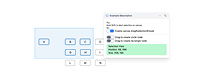
Custom Toolbar and Cross-Layer Tooltips
Custom Toolbar and Cross-Layer Tooltips VIP
Custom Node Expand Button Slot
Custom Node Expand Button Slot VIP
Events & Interactions & Control
Runtime Graph Controls
Runtime Graph Controls VIP
Character Relationship Graph Filters
Character Relationship Graph Filters VIP
Search Node and Focus Viewport
Search Node and Focus Viewport VIP
Node Hover Detail Tooltip
Custom Toolbar and Cross-Layer Tooltips
Custom Toolbar and Cross-Layer Tooltips VIP
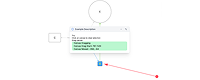
Node and Line Tooltips with Context Menu
Node and Line Tooltips with Context Menu VIP
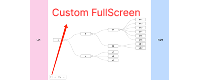
Customize Fullscreen Target Container
Node, Line, and Canvas Context Menu
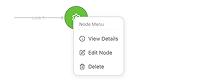
Node Context Menu via Slots
Character Relationship Graph Operations
Character Relationship Graph Operations VIP
Canvas Interaction Events
Canvas Selection and Node Creation
Create or Select Nodes by Drag Selection
Node and Line Click Highlighting
Node and Line Click Highlighting VIP
Highlight Related Lines on Node Hover
Highlight Related Lines on Node Hover VIP
Highlight Line and Endpoints on Click
Highlight Line and Endpoints on Click VIP
Node Descendant Subtree Highlight
Graph Resize Event
Graph Resize Event
Graph Zoom Presets
Graph Zoom Presets
Leaf Expand Buttons with Lazy Child Loading
Leaf Expand Buttons with Lazy Child Loading VIP
Root-Side Branch Visibility Toggles
Initially Collapsed Expandable Tree
Whole-Graph Expand/Collapse Playback
Whole-Graph Expand/Collapse Playback VIP
Depth-First Tree Expansion Playback
Depth-First Tree Expansion Playback VIP
Expand Tree to Selected Level
Expand Tree to Selected Level VIP
Focus Viewport by Node ID
Focus Viewport by Node ID VIP
Automatic Layout Preset Switching
Automatic Layout Preset Switching VIP
Connected Subnetwork Layout Switcher
Connected Subnetwork Layout Switcher VIP
Connected Component Layout and Theme Switcher
Connected Component Layout and Theme Switcher VIP
Multi-Group Graph Layout and Style Editor
Multi-Group Graph Layout and Style Editor E-VIP
Graph Theme and Layout Preset Switcher
Graph Theme and Layout Preset Switcher E-VIP
Canvas Multi-Node Selection
Canvas Multi-Node Selection VIP
Canvas Drag and Wheel Modes
Canvas Drag and Wheel Modes VIP
Canvas and Node Interaction Locks
Style & animation & effects
Graph CSS Theme Switcher
Graph CSS Theme Switcher VIP
Graph Theme and Layout Preset Switcher
Graph Theme and Layout Preset Switcher E-VIP
Partition Graph with Canvas Zones
Node Neighborhood Group Background
Node Neighborhood Group Background VIP
Click-Driven Related Node Group Highlights
Click-Driven Related Node Group Highlights VIP
Canvas Center Offset
Layout Rotation Controls
Layout Rotation Controls VIP
Initialize Graph On Tab Reveal
Expand/Collapse Relayout Toggle (Top-Down Tree)
Expand/Collapse Relayout Toggle (Center Layout)
Graph Canvas Theme Switcher
Custom Line Arrow Presets
Line-Following HTML DIV Overlay
Line-Following HTML DIV Overlay VIP
Graph Line Animation Presets
Screenshot & Watermark
Export Full Graph Image
Export Full Graph Image VIP
Export Graph Base64 Image Data
Export Graph Base64 Image Data VIP
Export Visible Graph Area Image
Export Visible Graph Area Image VIP
Generate an image with background
Generate an image with background VIP
Preview Graph Image with Tiled Background
Preview Graph Image with Tiled Background VIP
Instance API
GraphInstance Expand and Collapse API
Custom GraphInstance Mixed Layout
Custom GraphInstance Mixed Layout VIP